Point of sale and route sales for NetSuite
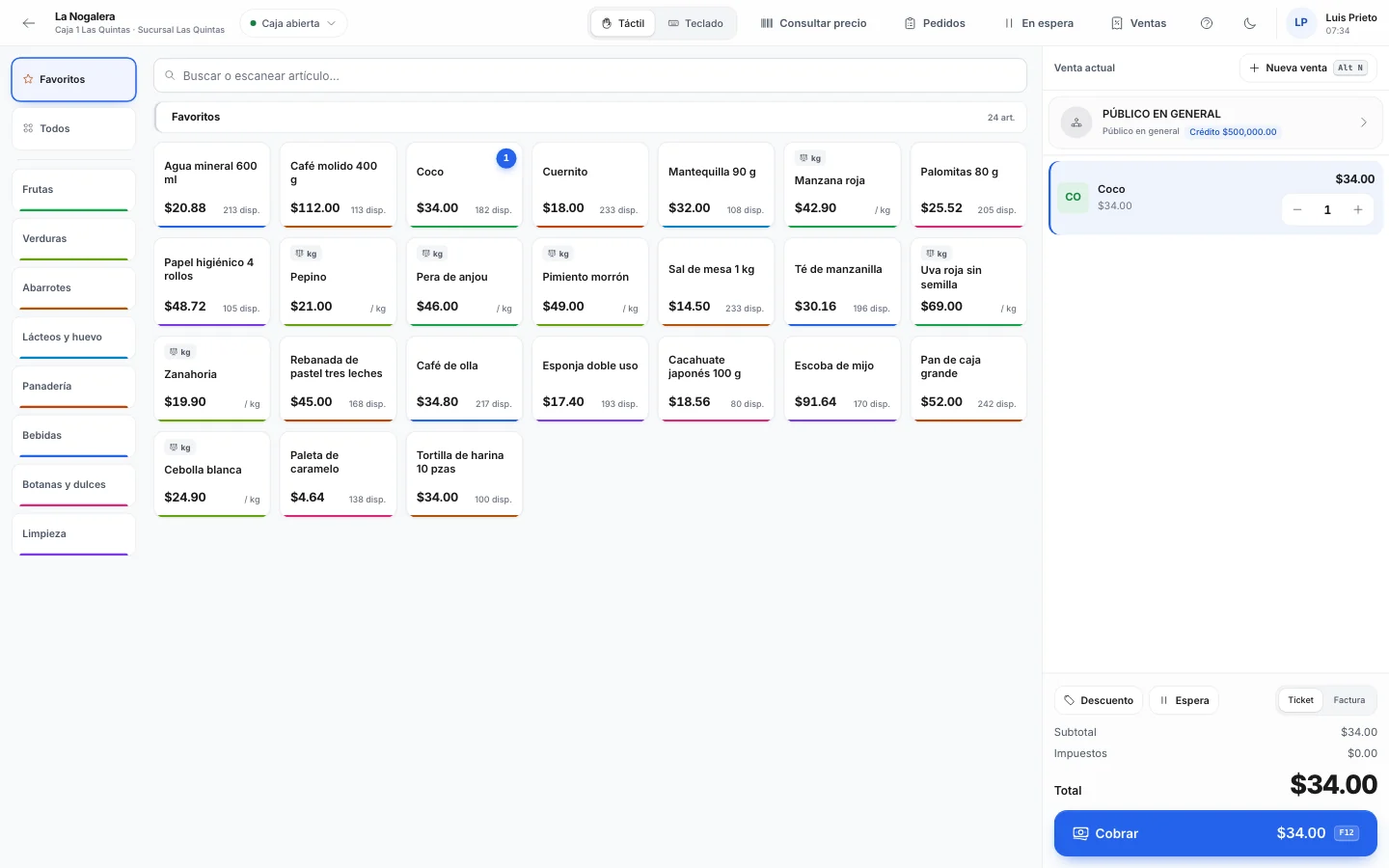
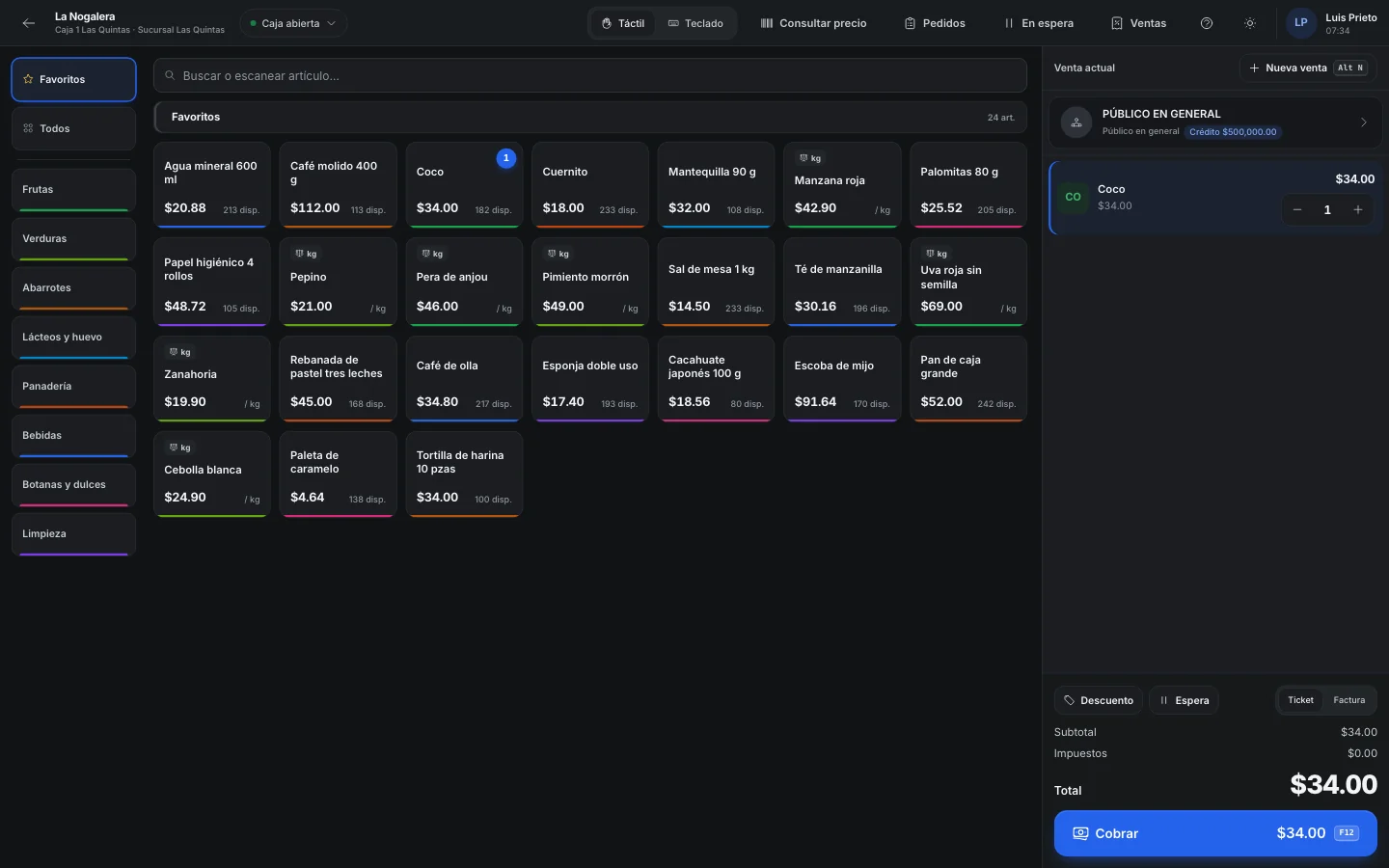
With Nori you sell at the counter and on the road without buying a separate point of sale for NetSuite. Sales and payments reach NetSuite as native records.
Connector in testing. Book a demo and we'll look at it with your account.

Sent from Nori to your ERP
- Quotes, orders, deliveries, invoices and credit memos
- Down payments, customer payments and vendor payments
- Inventory transfers and adjustments
Pulled from your ERP into Nori
- Items and prices
- Customers with their balances and credit limits
- Locations, sales reps, lots and serial numbers
- Stock
Fewer ERP licenses
Your cashiers and sales reps don't need a NetSuite user. They work in Nori, and Nori records their documents in NetSuite.
How it connects
The connection uses NetSuite's REST services (REST Record API and SuiteQL) with OAuth 2.0 and a certificate, or with token-based authentication. If your account has subsidiaries, you choose the subsidiary, plus the department and class if you use them.
How documents map
- A quote becomes an estimate and an order becomes a sales order.
- An order's delivery becomes an item fulfillment; a counter sale without an order becomes a cash sale.
- Invoices and credit memos keep the same names in NetSuite.
- A down payment becomes a customer deposit; payments become a customer payment or a vendor payment.
Who it's for
Companies that already run NetSuite in the office and also sell at a counter, deliver from the warehouse or have sales reps on the road. To take payments at a register or sell from a truck, you usually have to buy a separate point of sale and connect it.
Nori gives you the register, the route app and warehouse delivery without a separate NetSuite POS. Your cashiers and sales reps work in Nori with their own user, and each sale, delivery or payment is recorded in NetSuite as its own record, with the subsidiary, department and class you set up.
The connector is in testing with live accounts. If you're interested, we'll walk through it with your account in a demo before you commit to anything.
A route order, from the street to NetSuite
-
Monday
Presale
The sales rep takes the order in the app, with prices and credit limits pulled from NetSuite. Once it's posted, it goes up as a sales order.
-
Tuesday
Delivery
The driver delivers it in full or in part. The delivery goes up as an item fulfillment for that order, so NetSuite knows what's still open.
-
Tuesday
Invoice
The invoice goes up as an invoice created from its order. In Mexico, Nori stamps the CFDI (Mexico's e-invoice) and stores its UUID in the custom field you picked in Mappings.
-
Tuesday
Payment
The driver collects on delivery. The payment goes up as a customer payment applied to that invoice, and only after the invoice is in NetSuite.
-
Night
Settlement
When the truck is back, shortages and overages from the settlement go up as an inventory adjustment, and the stock returned to the warehouse as an inventory transfer.
When NetSuite is slow, rejects calls or doesn't respond
Every record Nori creates carries its own Nori external ID. If NetSuite received the record but the response got lost, Nori looks up that external ID on the next attempt, finds the record and links it. NetSuite also rejects a second record with the same external ID, so a sale never shows up twice.
NetSuite limits how many calls an account can run at once. If it says there are too many, Nori waits a few seconds and tries again. If it doesn't respond at all or denies access, Nori stops calling for a few minutes and then retries. Meanwhile the register and the app keep working with the data they have.
Failed uploads retry automatically with longer and longer waits, and they stay in order: a payment waits for its invoice and a delivery waits for its order. Anything that runs out of retries shows up as undelivered on the ERP screen, where you retry it or mark it as resolved.
Example
A week with three routes and a counter
Las Cumbres Distribution (a sample company) runs NetSuite with one subsidiary. It has a counter at the warehouse and three presale routes with next-day delivery.
In a normal week the counter makes about 180 walk-in sales, which go up as cash sales. The routes take 240 orders, which become 240 deliveries with their invoices, and they collect 150 payments. One Thursday afternoon NetSuite tells Nori to slow down several times because of too many calls. Uploads run a few minutes late and then finish on their own.
- counter sales as cash sales
- 180
- counter sales as cash sales
- orders with their delivery and invoice
- 240
- orders with their delivery and invoice
- payments applied to their invoices
- 150
- payments applied to their invoices
- NetSuite users for cashiers and sales reps
- 0
- NetSuite users for cashiers and sales reps
What we review with your account in the demo
- That your account has REST Web Services, OAuth 2.0 or token-based authentication, and SuiteQL enabled.
- The integration role and its permissions to read catalogs and create the records you'll sync.
- Your subsidiary, and whether you use departments and classes.
- Which form each record type uses.
- In Mexico, which custom fields hold the CFDI UUID, the CFDI use, the payment method and form, and the customer's RFC (tax ID).
- Which NetSuite tax code matches each Nori tax.
- How your Nori warehouses map to NetSuite locations.
What comes from NetSuite and how Nori uses it
-
Prices
The cashier and the sales rep see the prices pulled from NetSuite. Prices aren't edited in Nori.
-
Credit
The customer's balance and credit limit show up when you sell on credit at the register or on the route.
-
Lots and serial numbers
They come from NetSuite with their stock, so you pick the right lot or serial number when you sell or deliver.
-
Stock
Nori adjusts NetSuite's stock for what it has sold and not uploaded yet, so you never sell the same unit twice.
Frequently asked questions
Is the connector available yet?
It's in testing with live accounts. In the demo we review your account, your forms and your custom fields before connecting anything.
How does Nori authenticate with NetSuite?
With machine-to-machine OAuth 2.0 and a certificate you upload to NetSuite. You keep the private key and enter it in Nori. Token-based authentication also works.
Where do the CFDI UUID and the RFC go?
These apply in Mexico. They go in the custom fields you choose. On the Mappings screen you set which field holds each value and which tax code matches each Nori tax.
What happens if I cancel something in Nori that was already uploaded?
Nori deletes the record in NetSuite. If it never got there, nothing is sent.
Can I test in a sandbox?
Yes. Enter your sandbox account ID (for example 1234567_SB1) and test there before moving to production.
Do my cashiers need a NetSuite user?
No. They work with their Nori user, and Nori records their documents in NetSuite with the integration role.
Related guides
- Connect Nori to your ERPWhat Nori pulls from the ERP, what it sends back, how to connect SAP Business One (Service Layer) or NetSuite (REST), and how to check that the sync is up to date.
- Ring up sales rep orders at the registerThe sales rep builds the order on the floor and sends it to the register. The cashier loads it, takes payment for all or part of it, and invoices a ticket when the customer needs it.
- Goods delivery with status lights and scannerA board that shows which orders are waiting, picking by warehouse, and handing over goods by scanning against the sales order or invoice.
- Stamp and download CFDI 4.0 invoicesSet up your tax details, PAC and digital seal certificate. Then stamp invoices, download the PDF and XML, and cancel at the SAT.
Other integrations
Want to see it with your ERP?
In the demo we go over your ERP, your document series and what's worth syncing.