Dairy and cold cuts
System for dairy and cold cuts distributors
Products that expire, sales by weight and customers with credit. When picking, Nori suggests the batch that expires first.
What goes bad in a day of deliveries
A dairy and cold cuts distributor works against the calendar. Yogurt has a few weeks of shelf life, sliced ham less, and the box left at the back of the cold room ends up coming back as waste. If the warehouse clerk grabs whatever is closest, the batch that expires first stays behind, and that's the one you'll throw away.
Then there's weight. A wheel of cheese or a leg of ham never weighs the same twice. You buy by the kilo, the customer pays by the kilo, and in between are the boxes and trays that also go on the scale.
And almost all your customers buy on credit: the corner dairy shop, the sandwich place, the taco stand that takes five kilos of chorizo every other day. Before leaving more product, the sales rep needs to know how much they owe and since when.
A Tuesday at the distribution center and on the road
-
5:30
Planning the day
In Route sales › Day planning you generate the routes. They include the customers due today and the open orders to deliver, in driving order.
-
6:00
Picking in the cold room
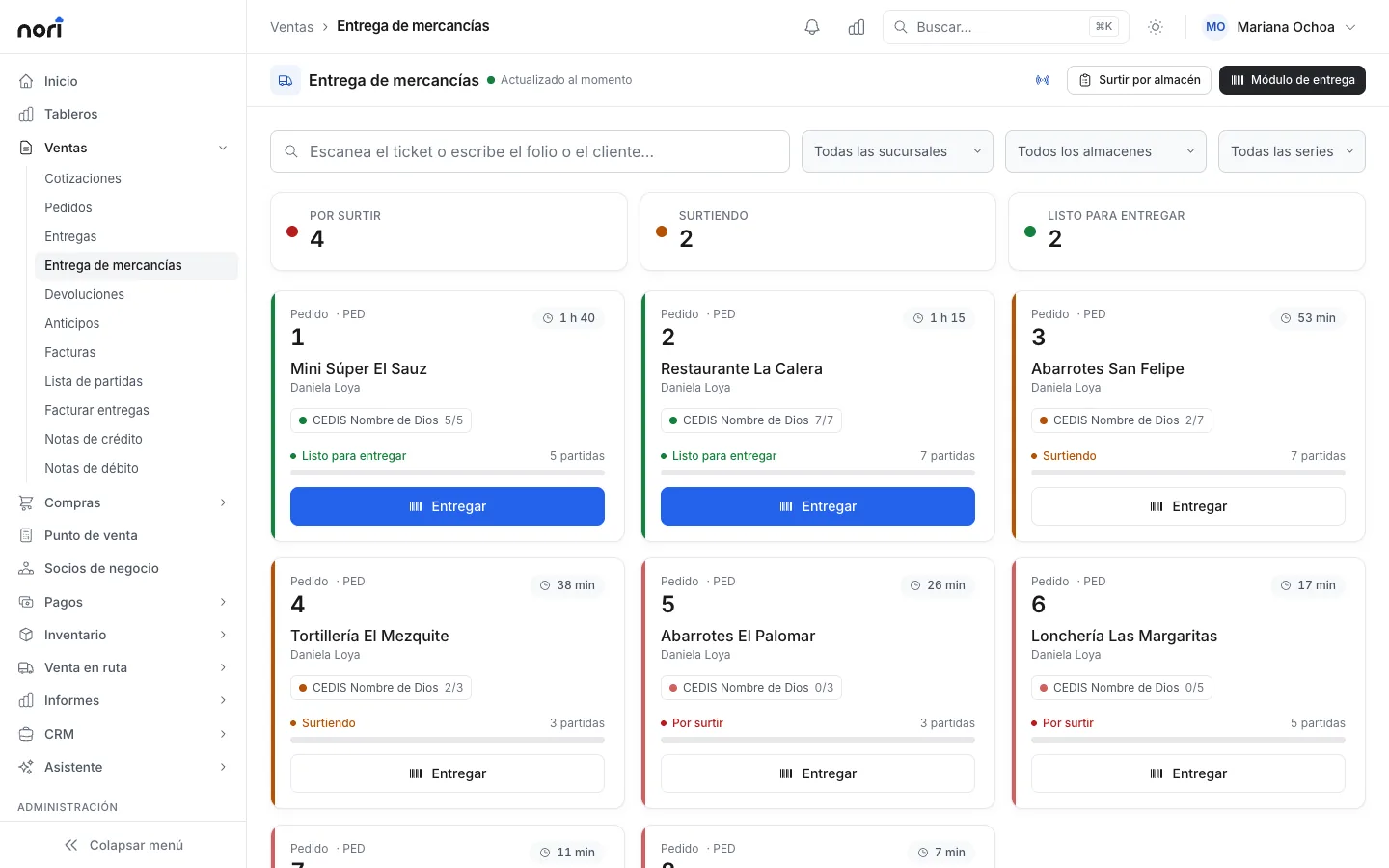
Orders show up on the Goods delivery board. The refrigerated area opens Picking per warehouse and sees only its own lines. For each item, Nori suggests the batch that expires first.
-
7:00
The van heads out
The load moves to the truck's warehouse with its batches. The rep opens the app, enters his change float and taps Start route.
-
9:40
At the dairy shop
He taps Arrived, collects last week's invoice, sells four kilos of Oaxaca cheese and picks up two packs of expired hot dogs with a reason. What he picks up goes to the returns warehouse on board and isn't resold.
-
12:30
No signal at the market
There's no signal inside the market. The app keeps selling and collecting, and sends everything when the phone reconnects.
-
16:00
Settlement
In Route sales › Settlements you reconcile the van item by item and the cash by payment method. Leftovers go back to the distribution center or stay on the truck for tomorrow.
-
17:30
What expires this week
In Inventory › Inventory hub you see which batches are about to expire and decide what to move first tomorrow.
What you use every day
-
Batch and expiration from receipt
In Receiving by scanner you enter the supplier's batch and each box's expiration date. From there the batch is traced all the way to the customer's invoice.
-
Weight with tare
On delivery you take the weight from the scale and subtract the tare, which is the number of boxes times each box's tare. If the weight goes over the order by more than the tolerance, it asks for approval.
-
Cold and dry goods separately
If the cold room is its own warehouse, each area picks its part of the same order and marks it Ready when done.
-
Picking up expired product
The rep records what he takes back from each store with the reason. In the settlement it's sent where it belongs and kept out of sales.
-
Credit with a cap
Each customer has their own limit. If they go over it or have overdue invoices, the rep requests approval and the supervisor answers from their phone.
Example
A Monday at Valle Verde Dairy
Valle Verde Dairy is a made-up example: it delivers with three vans in the south of the city. On a Monday, route 2 heads out with about 380 kilos of product and 64 customers on the plan.
When it gets back, the settlement shows what was sold, what was collected on earlier invoices and seven kilos of expired product picked up at four stores. A little over a kilo of panela cheese is missing, and it's recorded as a stock-out adjustment with its cause.
That afternoon the inventory hub flags two batches of cream that expire on Thursday. That's 90 liters. The supervisor sets up a three-day promotion for that cream, only in the mobile app, and the reps offer it starting Tuesday.
- route 2 sales for the day
- $41,250
- route 2 sales for the day
- collected on earlier invoices
- $18,600
- collected on earlier invoices
- expired product picked up, kept out of sales
- 7 kg
- expired product picked up, kept out of sales
- panela cheese shortage, adjusted with its cause
- 1.2 kg
- panela cheese shortage, adjusted with its cause
The picking board
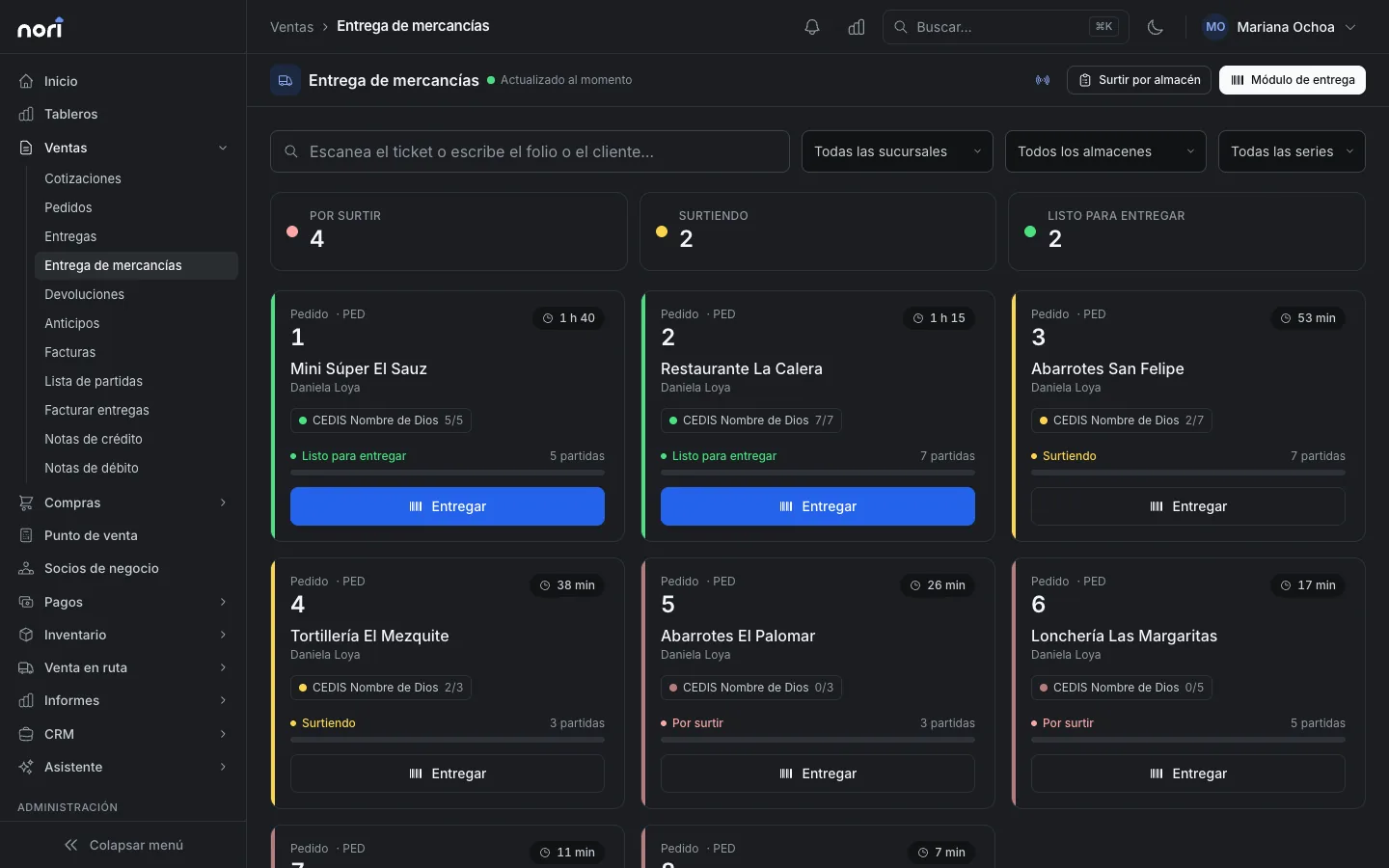
In Sales › Goods delivery each order shows as To pick, Picking or Ready to deliver. The wait time turns amber and then red based on the minutes you set. The sandwich shop's order that has been waiting 40 minutes stands out from across the room.
Whoever delivers scans the picking ticket and then each item. If they scan something that isn't on the order, Nori rejects it. If something is missing, they deliver what's there and the rest stays pending for another delivery.
Before your first day with Nori
- Set the items that expire to be tracked by batch. This can't be changed while the item has stock.
- Decide how many days in advance you want the expiring batch alert.
- Set up the cold room as its own warehouse if someone else picks from it.
- Have the tare of your boxes and trays at hand to subtract it when weighing.
- Enter each customer's credit limit and payment terms.
- Pair a Bluetooth printer with each route phone.
Frequently asked questions
Can I choose the batch by hand?
Yes. By default Nori suggests the one that expires first and, among equals, the one that came in first. If your company prefers to choose, you pick it in the same dialog when picking or selling.
What happens to expired product the rep picks up?
It goes into the returns warehouse on board his van and can't be resold. In the settlement it's reconciled separately and sent where it belongs.
Does it work with my scale?
In goods delivery you take the weight from the scale or type it, and subtract the tare. At the point of sale Nori reads scales connected by serial cable from Chrome or Edge, and also scale labels that start with 020.
If a customer returns merchandise, does it go back to the same batch?
Yes. Returns take the batches from the original document, so exactly what went out comes back.
I use SAP Business One. Which system controls batches?
With the ERP connected, batch management and bin locations come from SAP and are read-only in Nori. Nori sends SAP the batches on each document.
Related guides
- Batches, serial numbers and bin locationsTurn on batch or serial tracking, manage expiration dates with FEFO, and track stock by bin location inside the warehouse.
- Goods delivery with status lights and scannerA board that shows which orders are waiting, picking by warehouse, and handing over goods by scanning against the sales order or invoice.
- Work the route and settleWhat the sales rep does at each stop from their phone, the supervisor's live board, and settling the truck and the cash at the end of the day.
- Receive goods with a scanner against the purchase orderScan incoming goods against one or more purchase orders. Nori rejects items that weren't ordered and asks for approval when more arrives than ordered.


Want to see it with your products?
We'll show you Nori with a catalog and routes like yours.