Auto parts stores
System for auto parts stores
Your customers come in with a part number. Scan or type it, see which branch has it and ring up the sale.
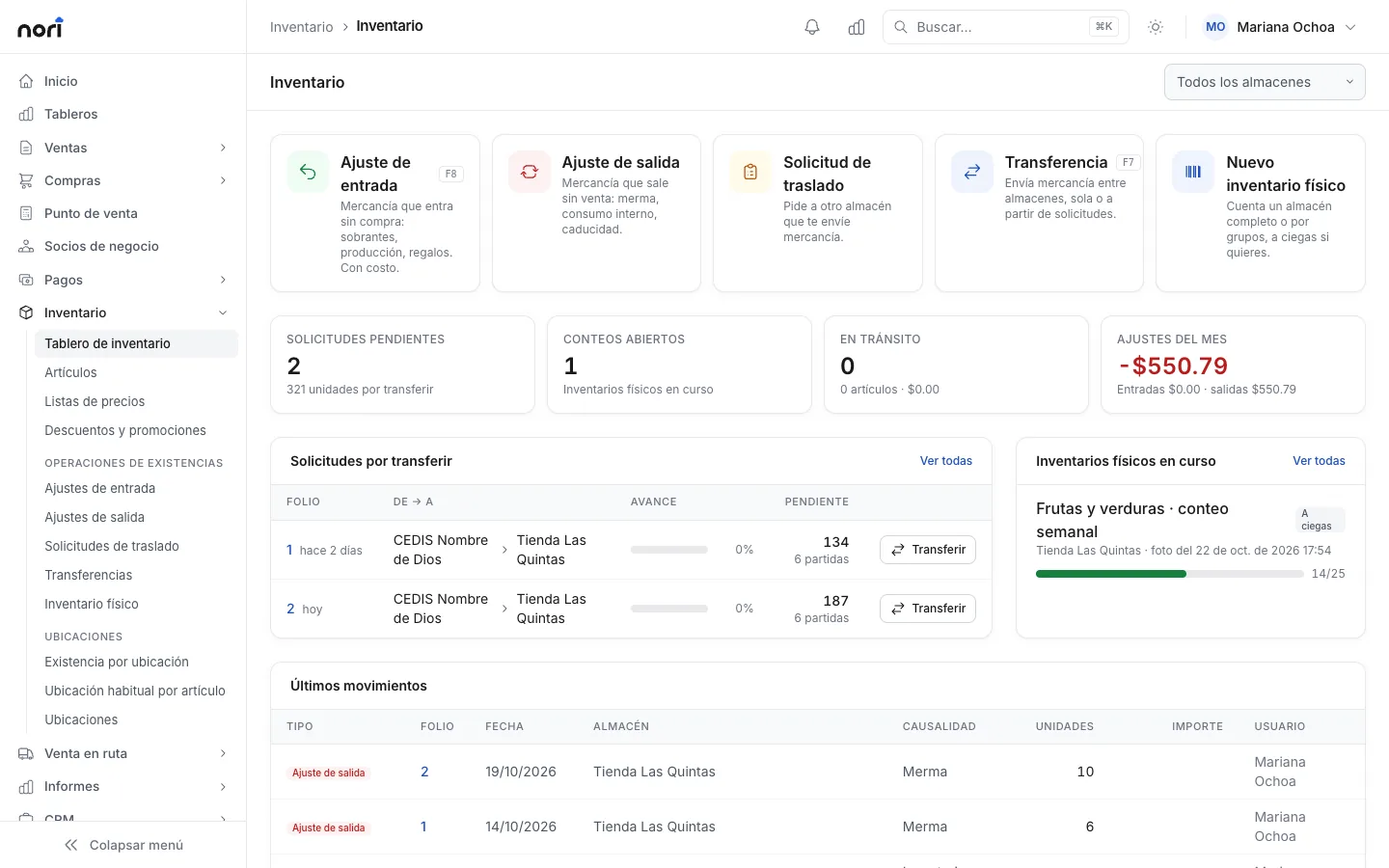
From part number to stock
The mechanic reads you a number over the phone or puts the old part on the counter. At the point of sale you type that number and Nori searches your code, the alternate code and the item's barcodes. If you type part of the name, like "brake pad fr", you get the matches and pick one with the arrow keys.
In Stock per warehouse you see how much each branch has, how much is committed to orders and how much is on its way from the supplier. Counter staff can also scan the box with the price checker in the app and see price and stock without opening a sale.
What makes selling auto parts hard
The same part has your code, the manufacturer's code and the one printed on the box. Customers show up with any of the three, and if your system only knows one, your counter staff end up searching the shelves with the old part in hand.
With two or three branches, the part you're out of at one is usually at another. The hard part is finding out fast and getting the transfer recorded, because a part moved without paperwork later doesn't show up in any inventory.
Repair shops buy every day, on credit and almost always with an invoice. They also return things: the pump wasn't for the 2.0 engine, the brake pad set was for last year's model. And with expensive parts like alternators and starters, the customer comes back months later with their receipt to claim the warranty.
Example
A water pump between two branches
El Pistón Auto Parts is a made-up example with two branches, Downtown and North. At 10 in the morning a repair shop orders a water pump. Downtown has zero and North has three.
The counter clerk at Downtown creates a transfer request for one unit. North fills it with a transfer, the courier takes it over and by 12:40 the pump is at Downtown with its stock updated. The shop takes it on a credit invoice, and since its balance is still under the limit, nobody has to approve anything.
A week later the same shop returns the wrong brake pad set. With Alt+D you pick the receipt, the line and the reason. Since it was invoiced, the amount stays as store credit for the shop's next purchase.
- from request to part on the counter
- 2 h 40 min
- from request to part on the counter
- shop invoice, on credit
- $1,860
- shop invoice, on credit
- shop credit limit
- $12,000
- shop credit limit
- store credit from the return
- $740
- store credit from the return
A day at the counter
-
8:00
Opening the register
The cashier opens their shift on their branch's terminal. If blind count is turned on, at night they count without seeing the expected amount.
-
8:30
Calls from repair shops
The day's orders come in. The sales rep enters them in Sales › Sales orders with each shop's price list and sends them to the register.
-
10:00
Not in stock here
The part is at another branch. You ask for it with a transfer request and the other branch fills it.
-
11:15
An alternator with a serial number
At checkout, the cashier scans the serial number and the line is added with that unit. The serial number is printed on the invoice.
-
13:30
A return
Wrong part. Alt+D, pick the lines and the reason, and if it had a serial number, the same unit that went out comes back.
-
16:00
The supplier arrives
In Purchasing › Receiving by scanner you scan what arrives against the purchase order. Anything not ordered is rejected and serial numbers are entered on receipt.
-
19:00
Closing
Each cashier counts their drawer. In Payments › Day close you check that every register at the branch is closed.
To get your catalog ready
- Enter on each item the alternate code customers ask for most and the manufacturer's code.
- Add every barcode that comes on your suppliers' boxes. An item can have several.
- Set parts with a warranty to be tracked by serial number before they have any stock.
- Build price lists for the counter and for repair shops, and assign each customer theirs.
- If you give discounts by brand, set them up as a discount group by manufacturer.
- Decide which returns and discounts need approval and how much each role can give.
Frequently asked questions
How many codes can a part have?
Each item has its own code, an alternate code and as many barcodes as you need. The point of sale searches all of them.
Can I request stock from another branch?
Yes. You create a transfer request and the other branch fills it with a transfer. The transfer takes the part out of one warehouse and puts it into the other.
How do I track an alternator's warranty?
If the item is tracked by serial number, each unit is recorded on receipt and on sale, and the serial number stores its warranty end date. The serial number is printed on the receipt or the invoice.
Can the repair shop get its invoice on the spot?
Yes. In Mexico, if the invoice series is set to stamp on posting, the CFDI (Mexico's e-invoice) is issued at checkout. You can also invoice a receipt later with Ctrl+F.
Can I give discounts by brand?
Yes. Discount groups accept a percentage by manufacturer, for all your customers, for a group or for one specific repair shop.
Related guides
- Sell at the point of saleTouch and keyboard modes, categories, scanner and scale, split payments, and what happens when the internet goes down.
- Batches, serial numbers and bin locationsTurn on batch or serial tracking, manage expiration dates with FEFO, and track stock by bin location inside the warehouse.
- Receive goods with a scanner against the purchase orderScan incoming goods against one or more purchase orders. Nori rejects items that weren't ordered and asks for approval when more arrives than ordered.
- Discounts and promotionsWhere each line's price comes from, how to create a promotion with a schedule and conditions, and how to test it before your cashiers use it.


Want to see it with your products?
We'll show you Nori with a catalog and routes like yours.