Beverages and snacks
Route sales for beverage and snack distributors
Your reps visit small stores every day. Nori tells each sales rep who is due today, what equipment that store has and how much it owes.
How selling to small stores works
A beverage or snack sales rep visits thirty or forty stores a day. Each visit brings in little money, so the business depends on not skipping any and on keeping your product at the front of the store's cooler.
What happens on the street rarely makes it back to the office in full. You don't know if the store that didn't buy was closed or already had stock. You don't know if the rep applied this month's promotion or saved it for his favorite customers. And all you know about the cooler you loaned a year ago is that it's still at that store, because nobody has said otherwise.
Snacks and some beverages expire. Whatever sits on the shelf too long has to be picked up and taken back to the warehouse without getting mixed in with good stock.
Nori records each visit with its time, its location and what happened. If there was no sale, the rep has to say why.
What your route team uses
-
Visit patterns
Tuesdays and Fridays, every two weeks, the first week of the month or on request. Each morning the route is built from those patterns, in driving order.
-
Coolers and displays
Each loaned piece of equipment is on the store's record. During the visit the rep logs maintenance with photos, temperature and its condition.
-
Promotions that apply themselves
Bundles, buy X get Y, or volume tiers. You can limit them to a customer group and to the mobile app, and the rep doesn't have to remember them.
-
Daily target
Each route has a sales target. The rep sees how much they've sold and how much is left.
-
No-sale reasons
You define the list of reasons, like store closed or already stocked. At the end of the week you see which one comes up most on each route.
-
Load with forecast
For van sales, Nori suggests the load from each store's average purchase for that day plus the safety margin you set.
Example
A Tuesday on route 7
La Loma Distributors is a made-up example that sells soft drinks and snacks through van sales. Route 7 has 34 stores on Tuesdays and a sales target of $24,000.
The rep visits 31 stores and skips 3 because of roadwork, each with its reason. 26 of them buy. At two stores the cooler was overdue for maintenance, so he services it and logs a photo. In the afternoon the settlement reconciles the truck and the packages picked up for expiration are counted separately.
- strike rate: visits with a sale
- 84%
- strike rate: visits with a sale
- sales for the day against a $24,000 target
- $21,700
- sales for the day against a $24,000 target
- coolers with overdue maintenance serviced
- 2
- coolers with overdue maintenance serviced
- packages picked up for expiration
- 46
- packages picked up for expiration
A day on the route
-
6:00
Plan and load
You generate the day plan. The Load section combines the orders delivered today with the van sales forecast, and the Load sheet puts the last customer's goods at the back.
-
7:00
Route start
The rep opens the app, taps Start route and enters the change float. His register is linked to the truck.
-
9:00
At the store
He taps Arrived. He checks the cooler, sells from the truck with the promotion already applied and collects what the store owed from last week.
-
10:30
Expired product
With Pick up he records the expired snacks and the reason. They go to the truck's returns warehouse and aren't sold again.
-
12:00
A store that didn't buy
When he leaves a customer without a sale, the app asks for the no-sale reason. If the store was closed, that's what gets recorded.
-
13:00
The supervisor checks in
From the office, the supervisor follows each route against its target on the Day board and approves, from their phone, any discount over the limit.
-
17:30
Settlement
The truck is counted, the cash is handed in and the expired returns are reconciled separately. Leftover stock can stay on the truck for tomorrow.
What you see from the office
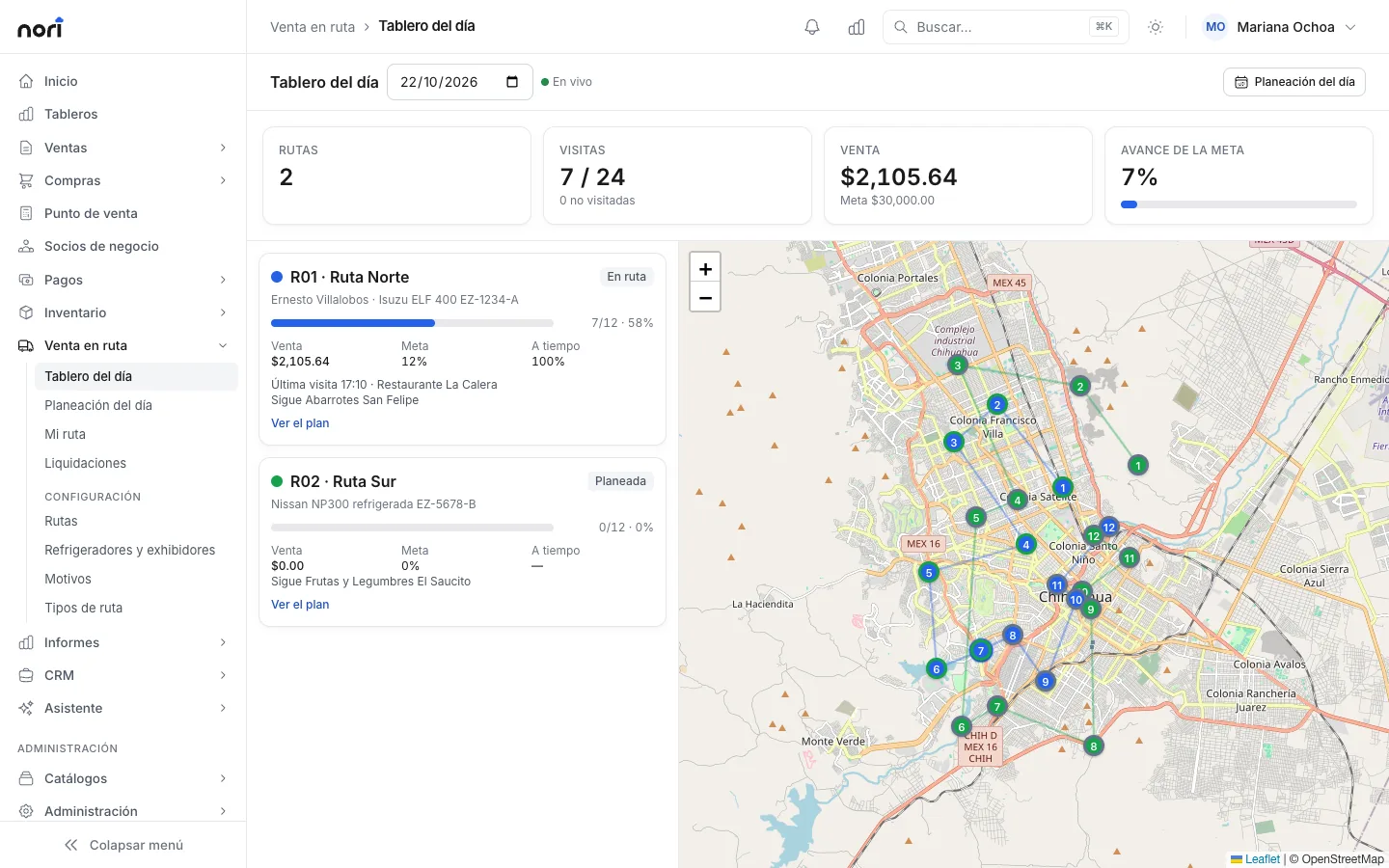
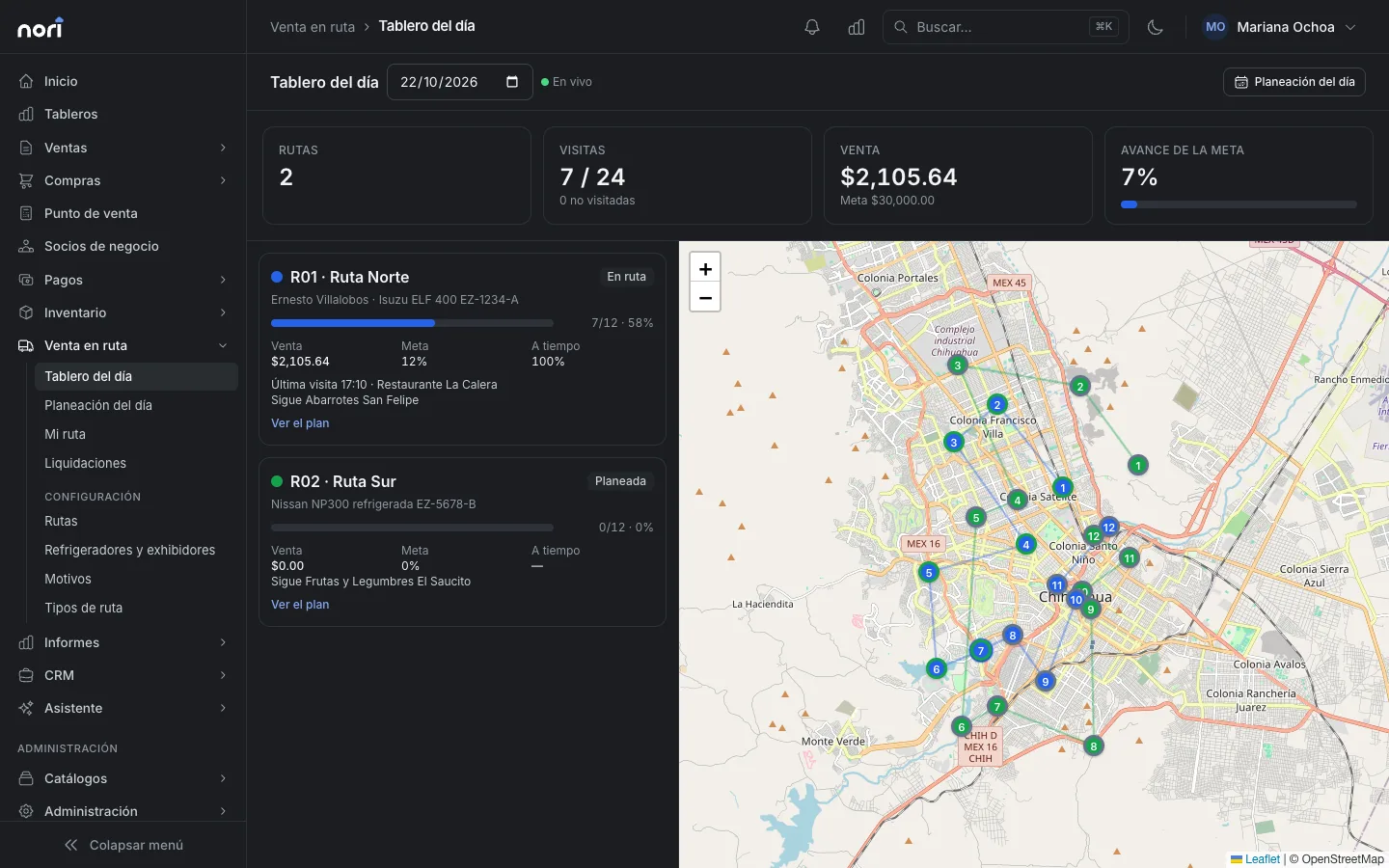
The Day board refreshes every minute. For each route it shows completed visits against planned ones, sales against target, strike rate and how often they arrive on time, all on a map with each route in its own color.
Each visit stores the GPS location and the distance to the customer's pin. If a rep taps Arrived two blocks from the store, you'll see it.
When the day closes, the settlement saves a snapshot of that route's items, visits and money, so you can look it up whenever you want to compare weeks.
Frequently asked questions
Can I offer a promotion only to certain stores?
Yes. A promotion can be limited by customer, customer group, item, manufacturer or channel, and you can choose to apply it only in the mobile app.
Can the rep sell from the truck and take orders on the same visit?
Yes. At each stop he can sell what he's carrying, take an order for another day, deliver an order and collect payment.
What happens to the expired snacks I pick up?
They go to the truck's returns warehouse. In the settlement they're reconciled separately and sent where they belong without getting mixed in with sellable stock.
How do I know which cooler is due for maintenance?
Every service done during a visit goes into the equipment's history, with photos and temperature. Nori flags the ones with overdue maintenance.
Does it connect with my ERP?
Yes, with SAP Business One and with NetSuite, which is in testing. Nori sends the route's sales, deliveries and payments, and prices and price lists come down from the ERP.
Related guides
- Design routes and plan the daySet up each route with its CEDIS and truck, place customers on the map with their visit frequency, and generate the day plan and truck load every morning.
- Work the route and settleWhat the sales rep does at each stop from their phone, the supervisor's live board, and settling the truck and the cash at the end of the day.
- Discounts and promotionsWhere each line's price comes from, how to create a promotion with a schedule and conditions, and how to test it before your cashiers use it.
- Install and set up the mobile appHow a sales rep or warehouse worker signs in to the Nori app, how it works with no signal, and what to do when you switch phones or users.


Want to see it with your products?
We'll show you Nori with a catalog and routes like yours.