Route sales: presale, van sales and delivery explained
How presale, van sales and delivery routes work at a distributor: the flow of each model, loading the truck, end-of-day settlement, collections, working without signal, and approvals.
In this article
Nearly every distributor that sells on the street works with one of three models, or a mix of them. The one you use decides what goes on the truck in the morning and what gets counted when it comes back in the afternoon. If the model doesn't fit your product, settlement shows it fast: trucks coming back half full, or orders arriving incomplete.
The three models
Presale. The rep visits the customer with nothing to sell and takes an order. The distribution center picks it, and another truck delivers it on a later visit. It suits a wide assortment, large orders, and customers who buy by the case and want to confirm price and stock before receiving.
Van sales. The rep heads out with a loaded truck and sells from what's on it. The customer sees the product, asks for it and gets it right then. It's common with a few fast-moving SKUs like bottled water, soft drinks, bread or snacks. The hard part is deciding what to load: too little and you lose sales, too much and the product rides around until it expires.
Delivery. The truck only drops off orders that were already taken, by a presale rep, by phone or at the office. The driver delivers in full or in part, collects payment when needed and picks up returns.
Mixing them is normal. The same company might run presale with next-day delivery for large stores and van sales for small ones.
| Presale | Van sales | Delivery | |
|---|---|---|---|
| On the visit | Take the order | Sell and hand over | Drop off what was ordered |
| What's on the truck | Nothing to sell | An estimated load | The day's orders |
| When it's paid | On delivery, or on credit | On the visit, or on credit | On delivery, or on credit |
| What's reconciled on return | Orders taken and collections | Truck inventory and cash | Deliveries made and cash |
| Where it gets stuck | Orders with no stock at the distribution center | A badly estimated load | A closed store or a refused delivery |
A truck's day
Before leaving: the route, the plan and the load
In Nori each route has its sales model (presale, van sales or delivery), the distribution center that supplies it, and a warehouse that stands for the truck, plus another one for returns on board. It also has its vehicle, driver, the days it runs and a daily sales target.
In the route designer you place customers on the map with their visit frequency: certain weekdays, every other week, specific dates or on request only. Optimize order reorders the stops to drive fewer miles and keeps customers who close early near the front.
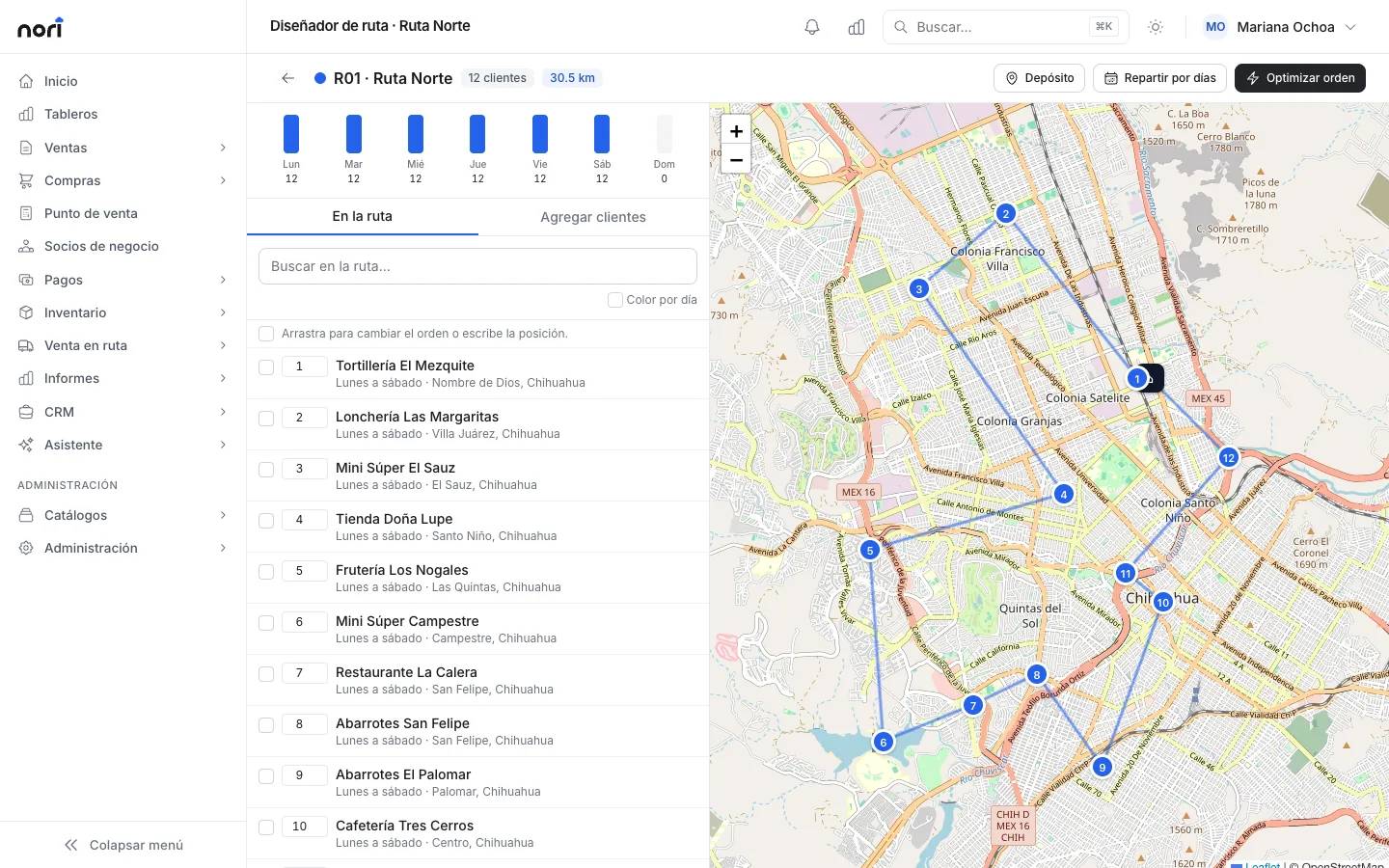
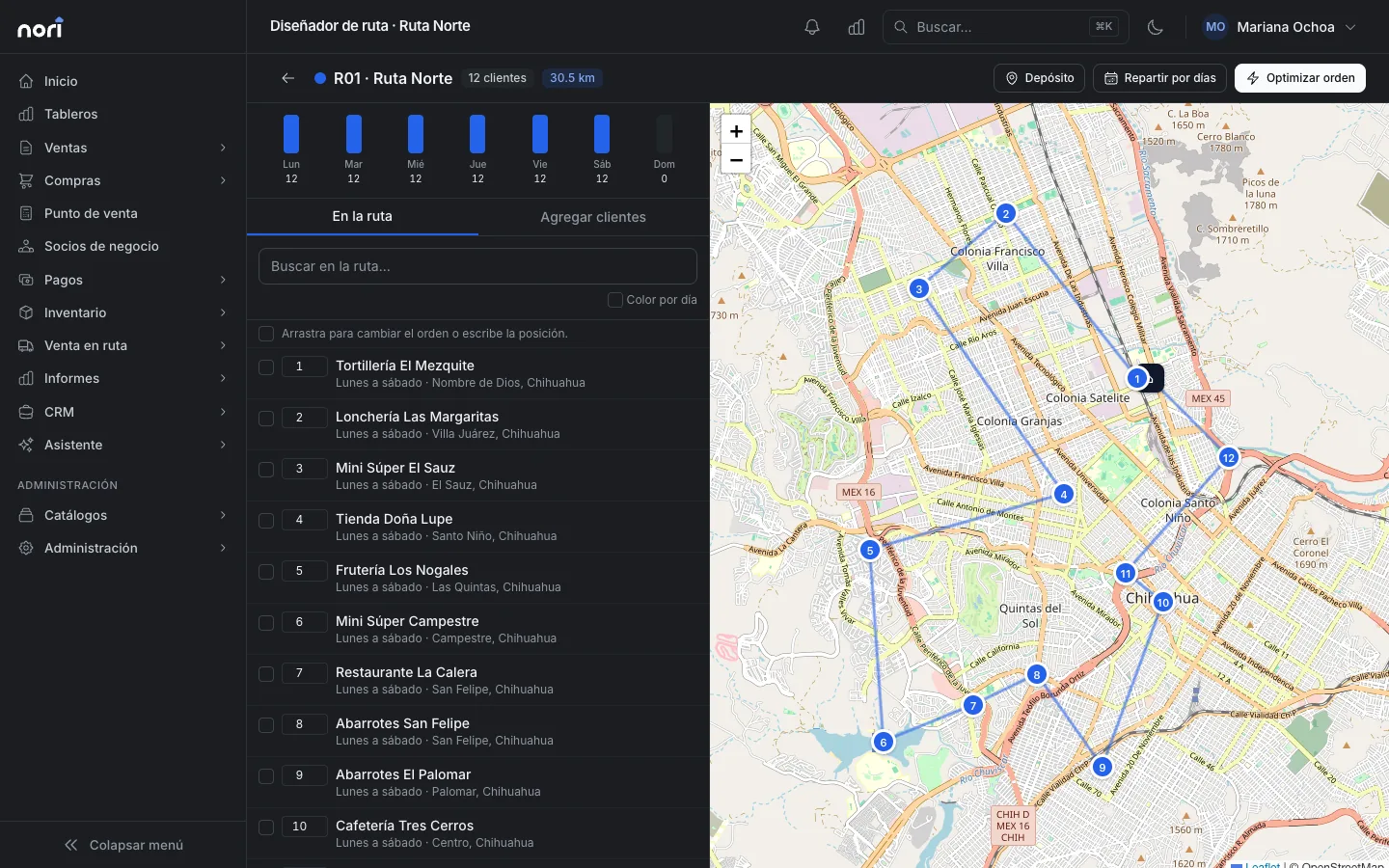
Every morning the day plan builds each route's stops from the customers due that day, in order. For van sales and delivery routes it also adds anyone with open orders waiting to be delivered.
The suggested load depends on the model. It adds what's pending on the orders due that day; for van sales it adds a per-customer forecast based on the average of their recent purchases plus the safety margin you set, and it subtracts what's already on the truck. The load sheet runs in reverse route order: the last customer's goods go in the back and the first customer's go by the door. Confirming it posts a transfer from the distribution center to the truck. The details are in Design routes and plan the day.
On the street: My route
Reps work from the mobile app or from My route in their phone's browser. When they start the route they enter the change fund they're carrying, and a register linked to the truck opens for them. At each stop they tap Arrived, and Nori records the time, the GPS location and how far they were from the customer's pin.
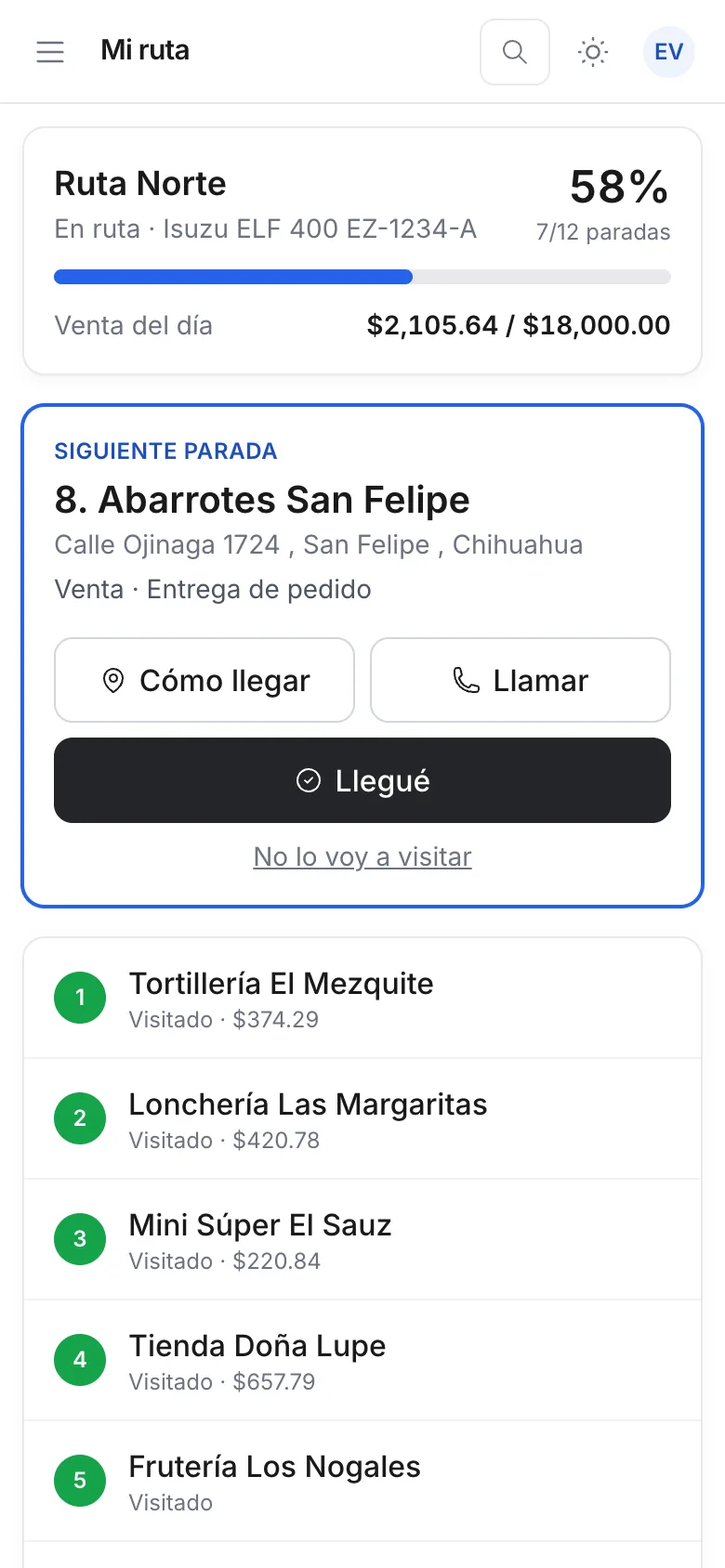
On the visit the rep does whatever the model calls for. They can sell from the truck, for cash or on credit if the customer has a limit. They can take an order, which is assigned to the route that delivers to that customer, dated for its next visit. They can deliver an order in full or in part and collect on delivery, or pick up expired or damaged product, which goes to the returns-on-board warehouse and isn't resold. If there was no sale, Nori asks for the reason.
If you also ship to customers' addresses, the home deliveries board gathers what has to leave the distribution center. You schedule each shipment on the day's route and the driver sees it in My route, at that customer's stop; on delivery they type who received it and take a photo. If the customer pays on receipt, they record the payment first. Anything that couldn't be delivered goes back to the board to be rescheduled. It's all in Home deliveries.
Collections on the route
Reps also collect on open invoices. If they don't pick which ones, the payment goes to the oldest. Everything they collect goes into their register, split by payment method, and that's what they're asked for when they return. If you stamp invoices on the road, credit invoices get their payment complement when they're paid; the CFDI and NetSuite article explains how that ties into the ERP.
No signal
The app keeps the customer and item catalog with prices on the phone, and whatever the rep enters goes into a queue that sends itself when the signal comes back. Each operation carries its own key, so if it's sent twice Nori records it once. Under More › Sync the rep sees how many operations are waiting. Photos taken from the browser do need a connection.
Approvals
Some things a rep can do, but not without someone else seeing it: selling on credit to a customer who's over their limit or has overdue invoices, a discount above what their role allows, changing a price by hand, or selling without stock. In Nori each of these is an approval rule you set up with its limit and who approves it. The rep requests it remotely and the supervisor approves it from the Dashboard tab in their app, or the supervisor approves it on site with their PIN. If the operation was entered without signal and turns out to need approval when it's sent, it stays in the queue flagged that way until it's resolved. Nobody can approve their own request.
The supervisor during the day
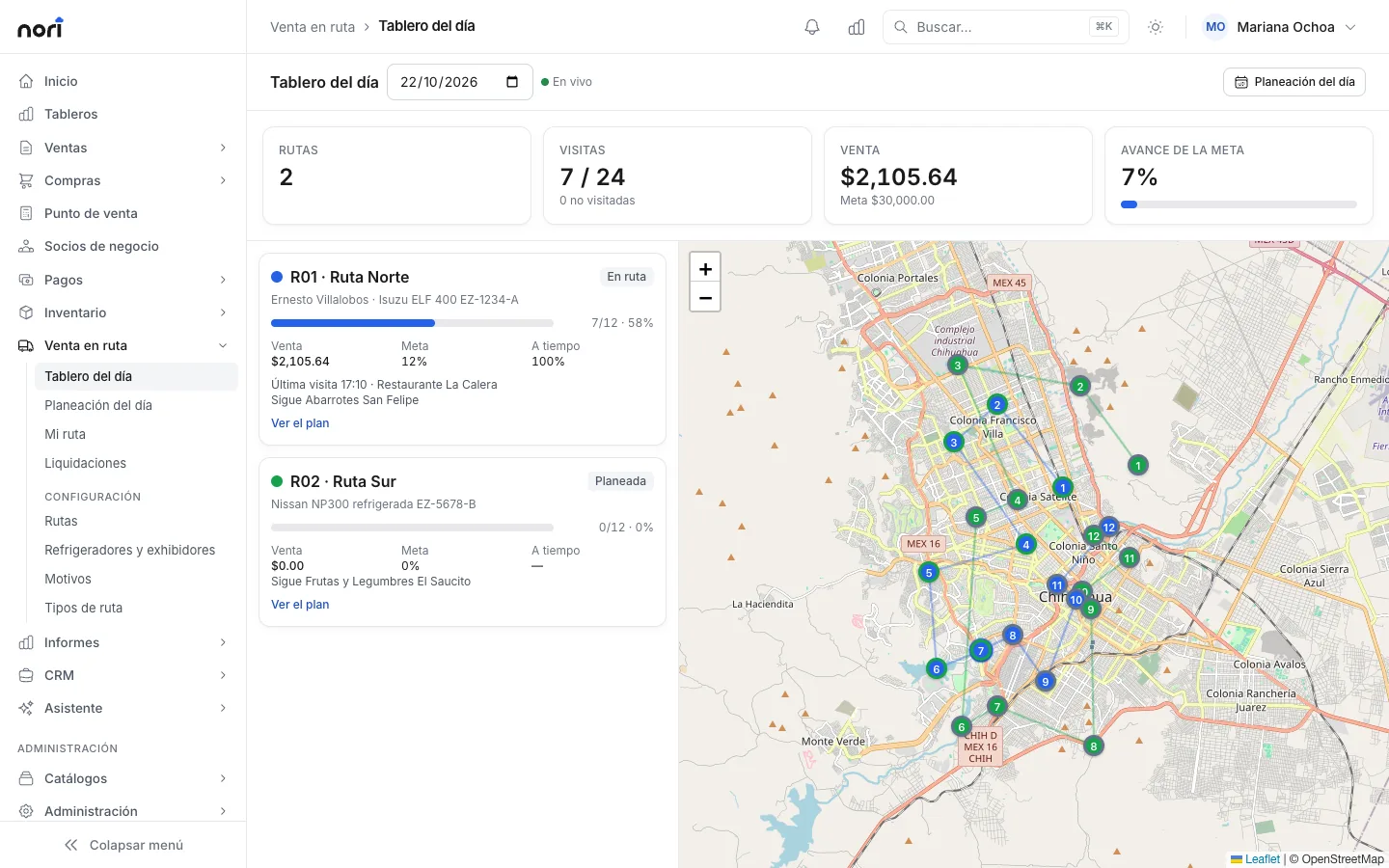
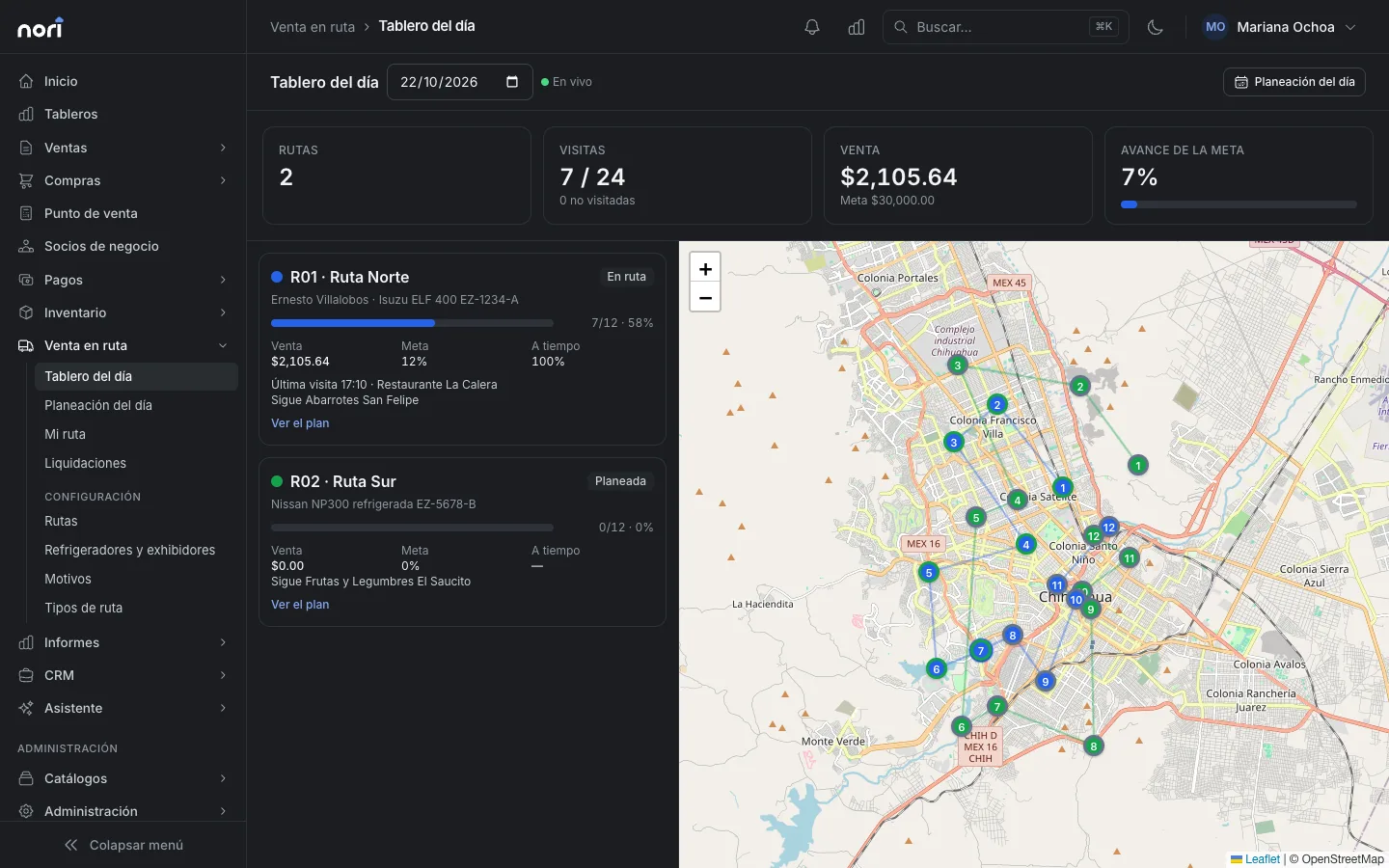
The day board refreshes every minute and shows, for each route, completed vs. planned visits, sales vs. target, how on time they are and the next stop, all on a map.
Settlement
When the truck returns, the route shows up under Settlements as waiting to be settled. Someone with the permission settles it; the Supervisor and Administrator roles have it out of the box. For each item Nori works out what the truck should have: starting stock plus what was loaded, minus what was sold and delivered. Returns on board are reconciled separately.
The supervisor enters what they counted on the truck and the money the rep hands in by payment method, against what their register expects. If there are differences they pick the reason, and they decide whether leftovers go back to the distribution center or stay on board for the next day's van sales.
Confirming it records everything as one operation. Shortages go out as a goods issue adjustment and surpluses come in at average cost; the transfer back to the distribution center and the move of returns to their destination are recorded, and the rep's register closes with its cash count. If Nori is connected to your ERP, those adjustments and transfers go up like any other movement. The guide is Work the route and settle.
Where to start
Write down, route by route, which of the three models you use today and what you reconcile when the truck comes back. You may find that a van sales route is really delivering office orders, or that nobody counts the truck's inventory. Once that's clear, setting it up in Nori is short work, and the distributors page sums up what Nori does in the warehouse and at the counter.
Frequently asked questions
What's the difference between presale and van sales?
In presale the rep takes an order and the goods are delivered later from the distribution center. In van sales the rep carries the goods on the truck and hands them over on the same visit.
What is route settlement?
It's the reconciliation when the truck comes back: what the truck should have (starting stock plus loaded, minus sold and delivered) against what's counted, and the expected cash against what the rep hands in. Differences are recorded as shortages or surpluses.
Can reps work without signal?
Yes. Nori's app keeps the catalogs on the phone and puts every sale, payment or visit in a queue that sends itself when the signal comes back. Each operation carries its own key, so resending it doesn't duplicate it.
Can I mix presale and van sales?
Yes. In Nori the sales model is set per route, and on a van sales visit the rep can also take an order to be delivered later.
Does Nori connect to my ERP for route sales?
Nori connects to SAP Business One and, in testing, to NetSuite. Sales, payments and settlement adjustments go up to the ERP. It also works without an ERP.