Inventory
Know what you have, where it is and what's already sold
Each warehouse shows what's on hand, what's committed to orders and what's on the way. An order can't commit units you don't have.
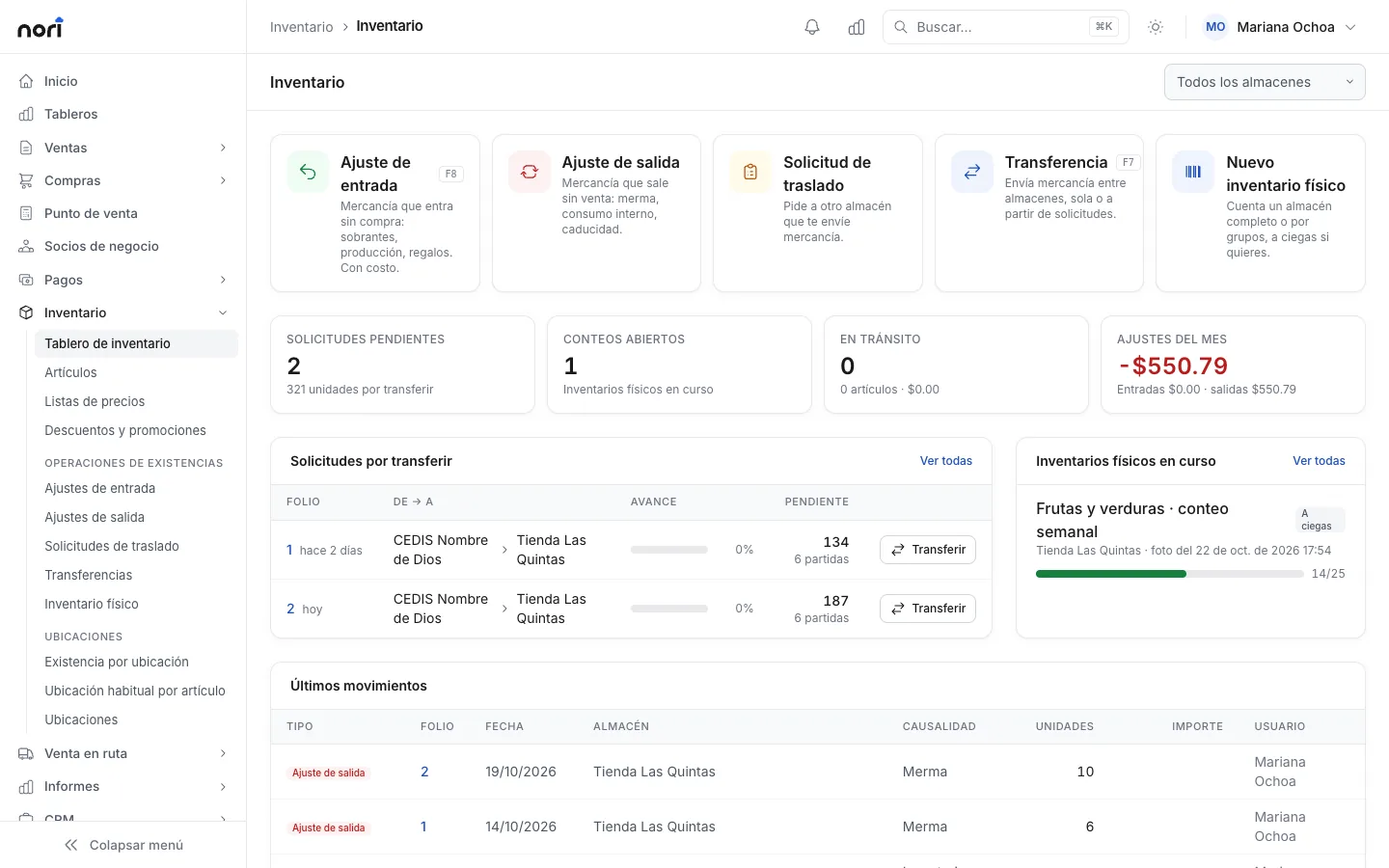
What's included
-
Available, like your ERP
Committed quantities are subtracted and incoming ones added, the same way SAP Business One does it.
-
Batches with expiry
First to expire ships first, and the board flags what's about to expire.
-
Serial numbers
Scan the serial at the register or at delivery.
-
Bin locations
Up to four levels inside a warehouse, with min and max and a default bin per item.
-
Transfers
Between warehouses or through a transit warehouse. Stock on the road shows at the destination.
-
Physical counts
By warehouse or item group, blind if you like, with several people counting at once.
With SAP Business One or NetSuite
With an ERP, warehouses and batch and serial settings come from it. Nori posts every movement back.
- Up: transfers with their requests, and every receipt or issue with its batch or serial and bin.
- Down: warehouses with their bins, and stock. Available quantity follows your ERP's formula.
License
Logistics is the warehouse license: it moves stock and runs counts, without seeing costs or prices. Every other license can look up stock.
PricingFrequently asked questions
Can I count without stopping sales?
Yes. The expected column accounts for what moved during the count, and the adjustment posts in one step.
Does it track expiry dates?
Yes. Each batch has its expiry date and Nori picks the one that expires first. You can also pick the batch by hand.
Can warehouse staff see costs?
No. A Logistics license sees items and stock, without costs or prices.
- More modules
- Sales
- Point of sale
- Route sales
- Purchasing
- Logistics
- CRM
See the module with your own data
In the demo we walk through your chart, your documents and how to get started.