Approvals
Sensitive operations wait for a sign-off
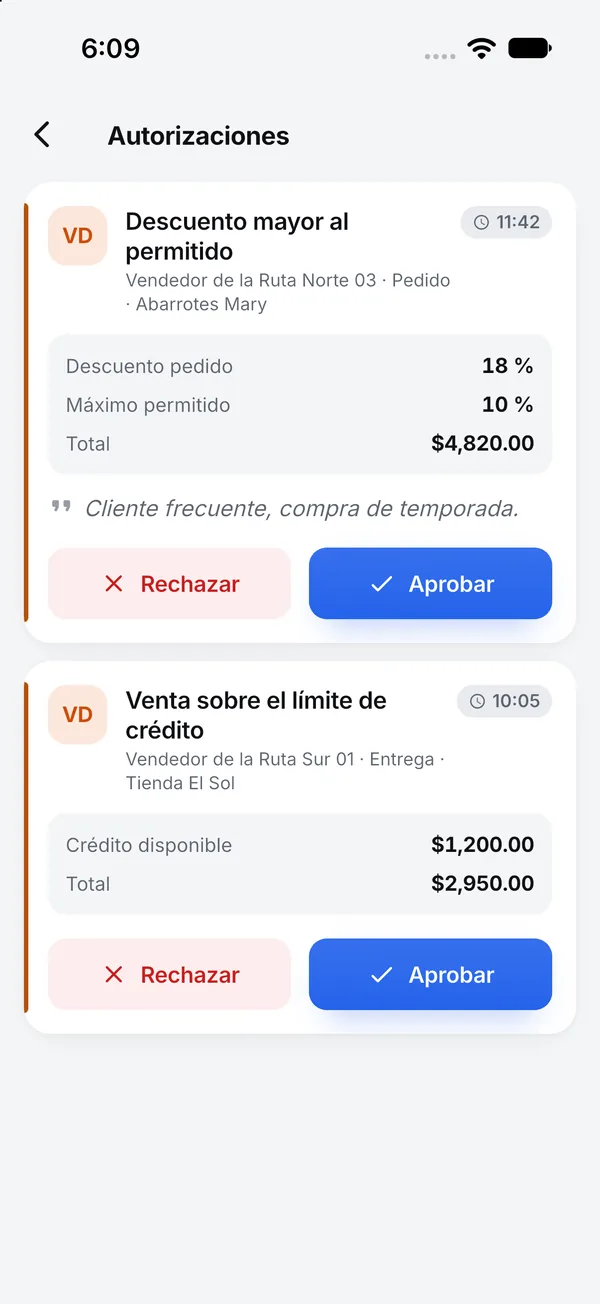
You decide which operations need approval and who gives it. A supervisor approves from a computer, a phone or with a PIN at the register.
What's included
-
25 operations
Discounts, manual prices, selling without stock, exceeded credit, cancellations, cash withdrawals and more.
-
Limits per role
Each role has its own limit. Above it, the operation asks for approval.
-
Supervisor alerts
An alert sounds and the request shows before and after, cost and margin.
-
PIN at the register
When the supervisor is there, they type their password or a 4 to 8 digit PIN.
-
From the app
The approvals inbox is also on the app's dashboard.
-
No self-approval
Each approval works once, and a rejection always carries a reason.
With SAP Business One or NetSuite
Approval happens in Nori before saving. Only the approved document posts to your ERP.
See integrationsLicense
Any license can ask for approval. Supervisor and Administrator approve, or whoever you choose by role or user.
PricingFrequently asked questions
What if nobody answers?
The request expires after the minutes you set, and the user can ask again.
Are there rules that can't be approved?
Yes. Each user's minimum price list and maximum discount block the sale with no exceptions.
- More modules
- Accounting
- Banking
- E-invoicing
- Reports
See the module with your own data
In the demo we walk through your chart, your documents and how to get started.