Point of sale
Check out fast and close a balanced drawer
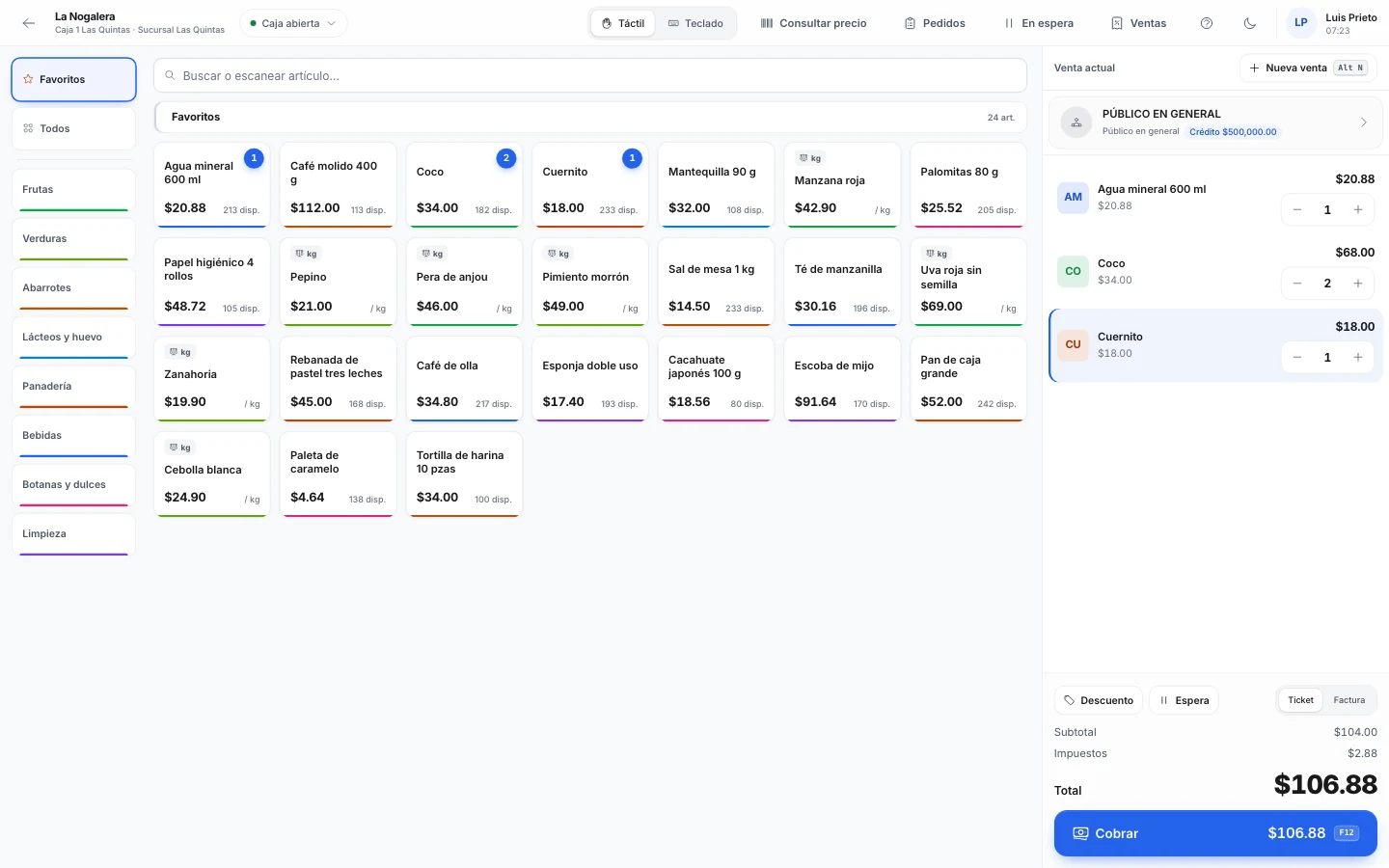
Ring up sales with a barcode scanner or on a touchscreen. At the end of the shift you count the cash and Nori tells you if it's over or short.
What's included
-
Scanner or touchscreen
Scan 3*code or a scale label. In touch mode, pick by category with photos.
-
Split payments
Part cash, part card, with quick-cash buttons and the card reference.
-
Cash register closing
Open with a float counted by denomination and close with a Z report. Blind counts are optional.
-
Orders to the register
A sales rep sends the order with a barcoded order sheet, and the cashier collects it.
-
Receipt to invoice
Press Ctrl+F to turn a paid receipt into an invoice.
-
Receipts and printers
A print agent on the register's computer prints the receipt and opens the cash drawer.
With SAP Business One or NetSuite
SAP Business One has no point of sale, and NetSuite sells it as a separate product. With Nori, your cashiers don't each need an ERP user.
- Up: each receipt as a delivery to a walk-in customer (a cash sale in NetSuite), with its payment.
- Down: prices and stock. At checkout, Nori can check the price and stock against the ERP.
License
Cashier is the counter license: it rings up sales, runs its own drawer and takes returns. Seeing every register and making bank deposits takes a Supervisor license.
PricingFrequently asked questions
Does it work offline?
The sale in progress is saved on the device, but taking payment needs a connection. If it drops mid-payment, retry and the customer is never charged twice.
Which printers does it use?
Receipt, letter or label printers, up to three per register. The print agent runs on Windows, Linux and Apple Silicon Macs.
Can a cashier collect an order a sales rep took?
Yes. The cashier scans the order sheet and collects it in full or in part, or several orders in one payment.
- More modules
- Sales
- Route sales
- Inventory
- Purchasing
- Logistics
- CRM
See the module with your own data
In the demo we walk through your chart, your documents and how to get started.